Introduction
There are 4 locations for guest reviews. Two of these are controlled via the GuestWisely Reviews Module and updated automatically on the website when they have been approved in the GuestWisely application. The other two are controlled separately via a testimonial slider plugin.
Review Slider
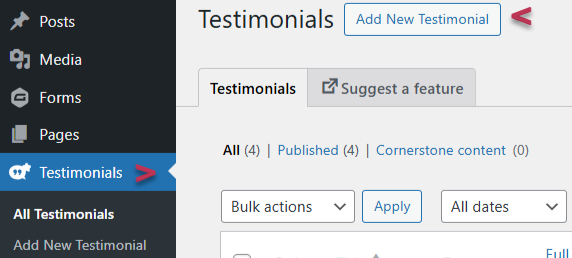
Navigate to Testimonials Section > Click “Add new”.
There are two testimonial sliders set up in the theme, one for guest reviews which features on various pages as a global section, aimed at displaying a short extract from few of your best reviews, which will help to encourage more reservations.
The other version is for owner reviews on the property management page. It is simply a case of creating a testimonial post and then assigning the guest or owner review category for it to push to the correct position on the site.
The required fields can all be found a little further down the page in Client Details section. It is recommended to use a maximum of a couple of sentences, as they display in a small area that are intended to be read quickly as the slider rotates.
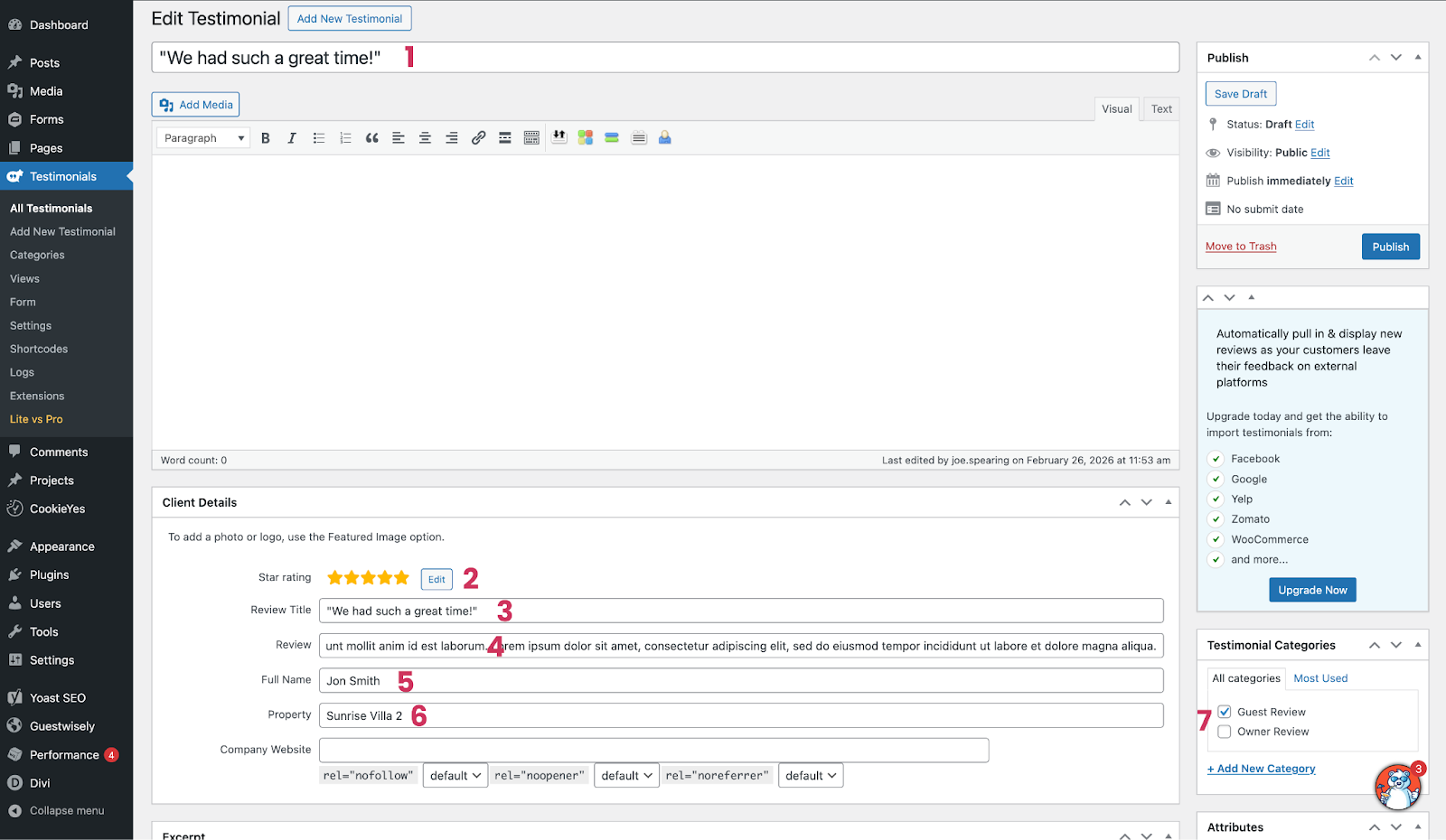
Edit a placeholder review or create a new
Create a title simply for your own reference
Add star rating via edit button
This is where the title of the review will be entered
Full review entered here (kept to a short extract is recommended)
Guest/Owner name
Property name related to the review
Assign category of review to the guest or owner slider.
Publish or save the post.
GuestWisely Reviews Module
This will appear on individual property pages where visitors can submit reviews and they will arrive in the GuestWisely application for approval. From here you will also be able to select if that review appears on your main Review Page, where they will display in a grid that is paginated.
Was this article helpful?
That’s Great!
Thank you for your feedback
Sorry! We couldn't be helpful
Thank you for your feedback
Feedback sent
We appreciate your effort and will try to fix the article