Introduction
Lynx is a cloud-based access management platform that automates secure, time-limited access codes for smart locks and keyless entry, eliminating physical keys for property managers and short-term rental hosts. It integrates seamlessly with GuestWisely and supports customizable code generation plus global compatible lock devices.
The integration auto-syncs properties and reservations from GuestWisely, generates unique access codes for each booking, and pushes them back to GuestWisely. This delivers streamlined onboarding, reduced manual work, fewer check-in issues, higher guest satisfaction, and efficient handling of codes with no geographic limits.
How to integrate Lynx with GuestWisely
1. Requirements
Active GuestWisely account.
GuestWisely API Key (Token Key) and API Password (Token Secret). These are required for authentication and can be obtained from your GuestWisely dashboard: Marketplace > Lynx.
Lynx account with administrative access.
2. Connect Lynx and GuestWisely
Follow these steps to set up the integration:
Go to the Lynx App and sign in.
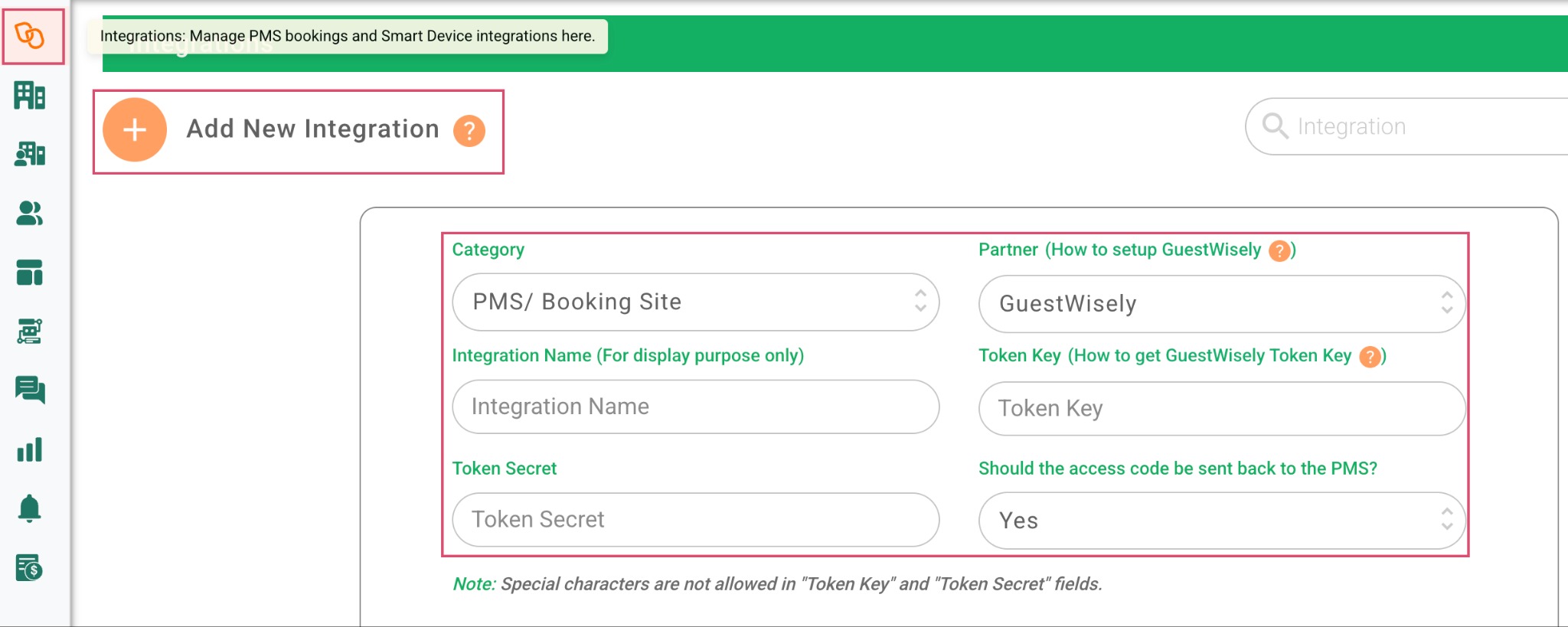
Navigate to the Integrations page by clicking the + Add New Integration button on the top left.
Select "GuestWisely" as the type from the list of available PMS options.
Enter a name for the integration (e.g., "Your Company Name").
Input your GuestWisely API Key (Token Key) and API Password (Token Secret).
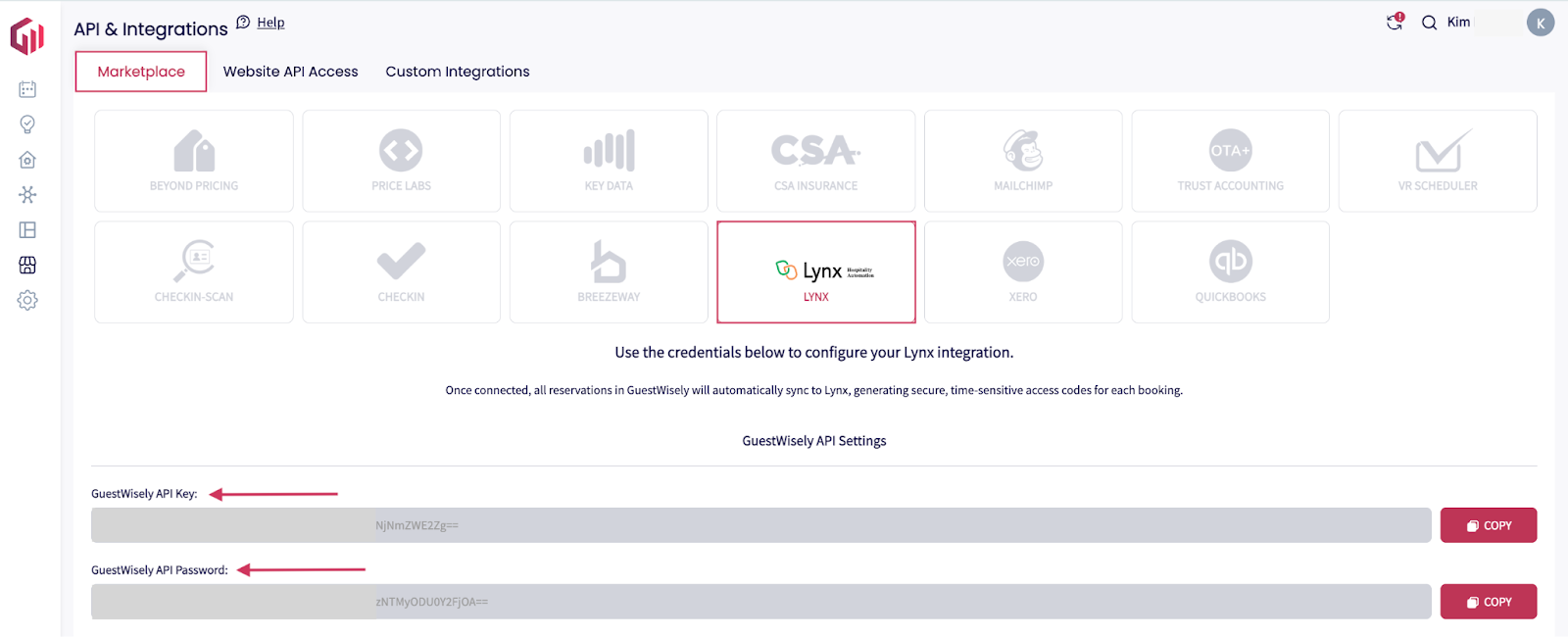
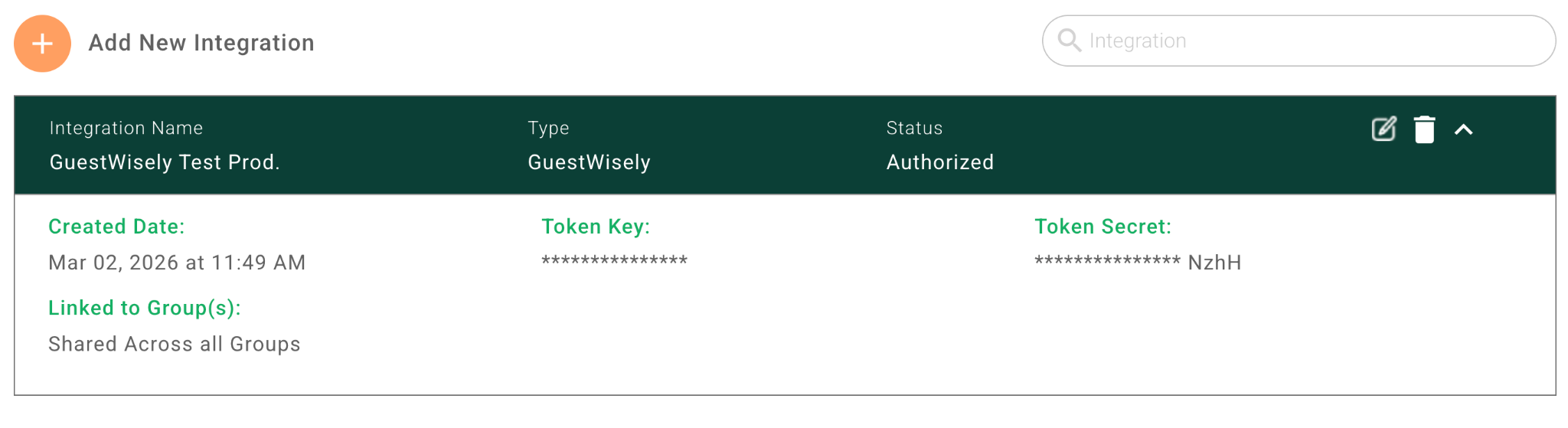
Click "Add" and authorize the connection. If the credentials are incorrect, check your GuestWisely portal.
Upon successful validation, the integration is active. Lynx will immediately fetch all properties associated with your GuestWisely account.
3. Property Onboarding and Linking
After adding the integration:
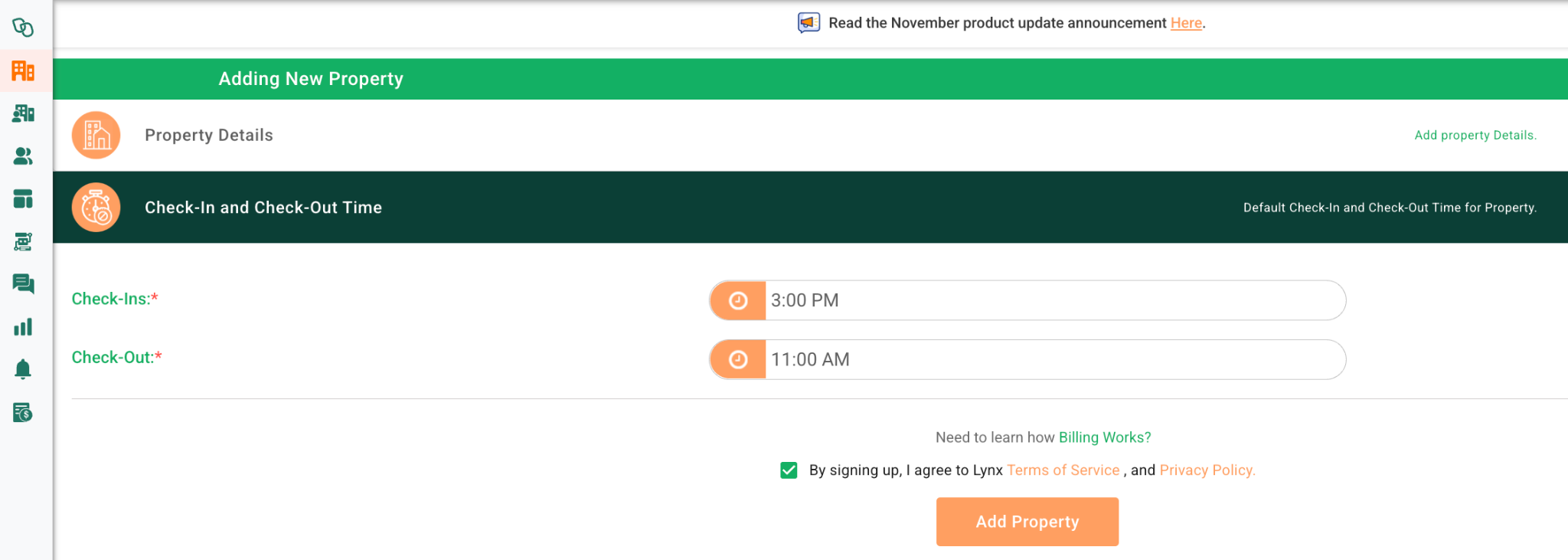
- Click on +Add Property > Property Details > PMS/Booking Site > GuestWisely.
- Next, select your Integration name provided at step “2. Connect Lynx and GuestWisely”.
- Choose the desired property from the synced list. Lynx will prefill all data (e.g., address, details).
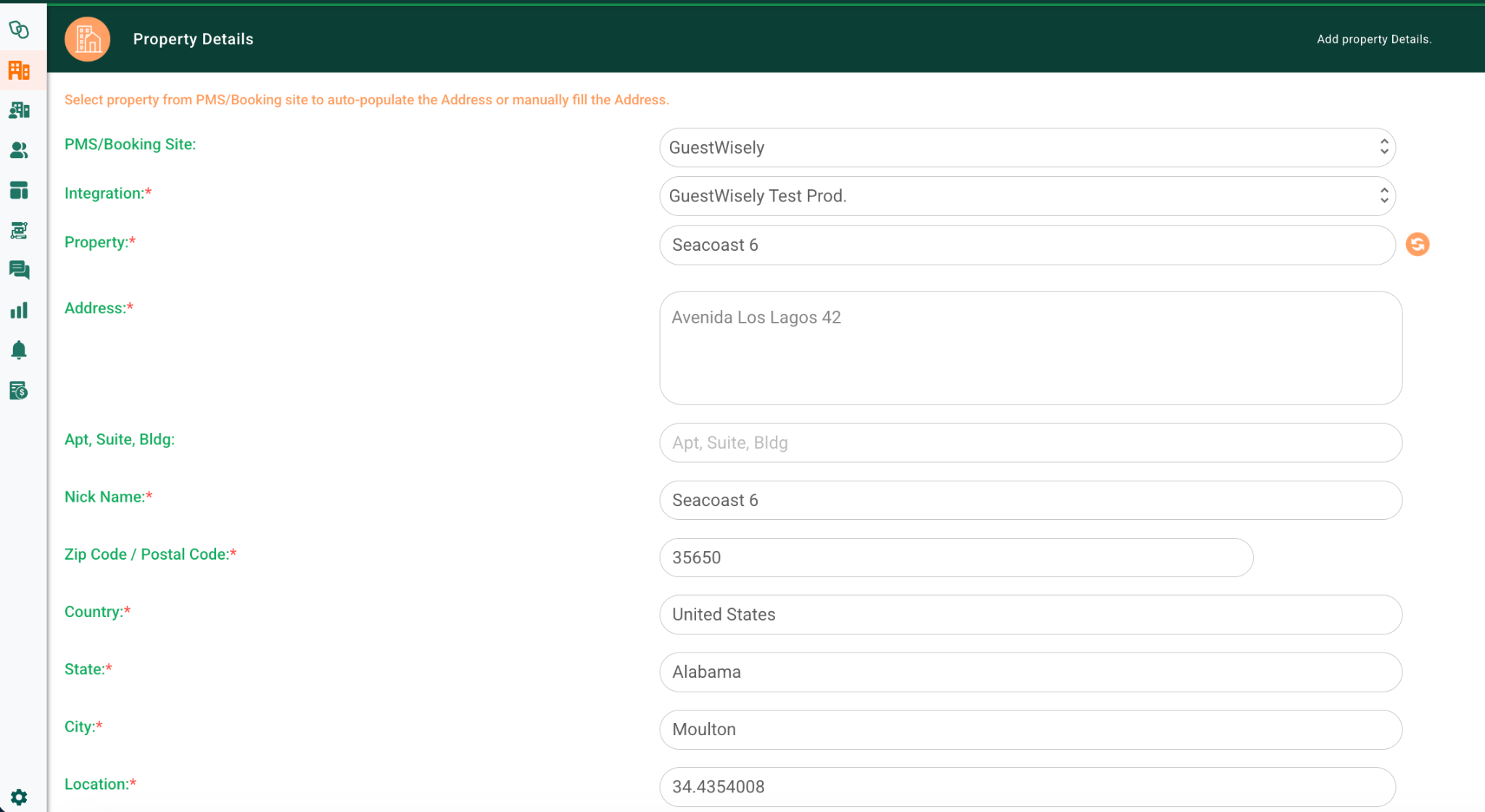
Confirm check-in /out and click on “Add Property”.
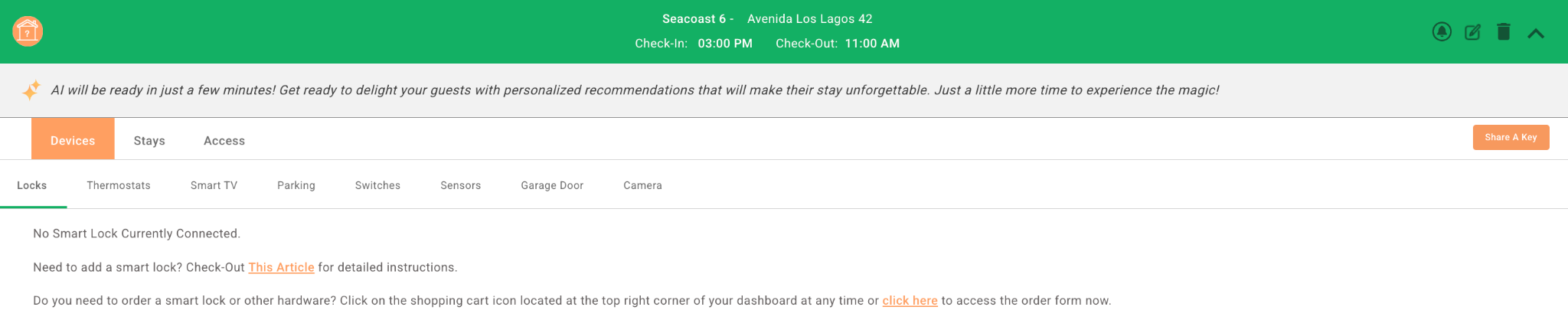
Next, you will be able to configure your Locks:
4. Data Synchronization
Initial Full Sync: Performed automatically when a property is linked or onboarded.
Scheduled Updates: Lynx checks for modified reservations every 30 minutes (scanning the last hour's changes).
Manual Force Sync: Use the Lynx "Force Sync" button in the property or integration settings for immediate updates. ONLY for last-minute check-ins.
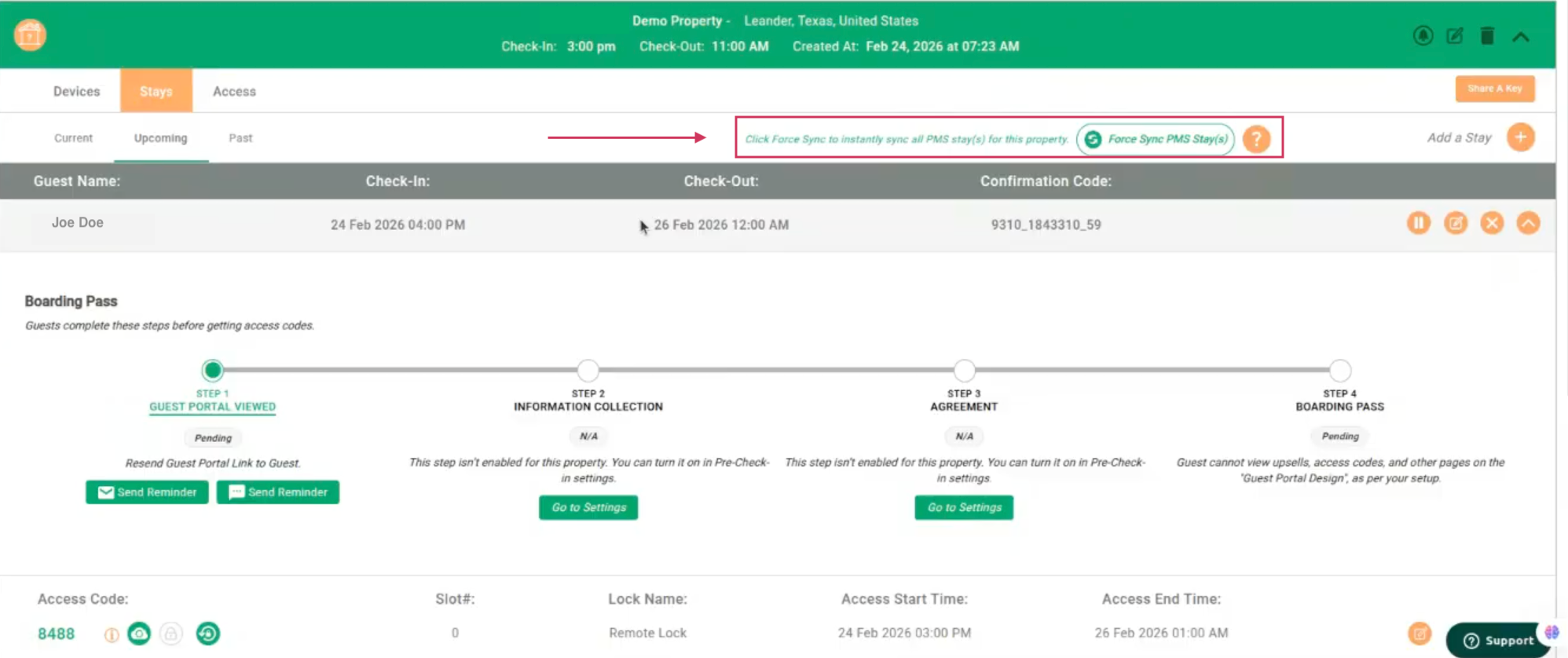
Reservations: Sync includes current and future stays. Owner reservations are treated as standard bookings unless manually adjusted.
Notes: Blocked calendar dates from GuestWisely are not synced. Lynx does not differentiate between owner and guest bookings (no reservation type flag available).
5. Access Code Generation and Push Back to GuestWisely
Lynx generates access codes based on your configurations (e.g., last four digits of guest's phone number or random). These are pushed to GuestWisely and stored in the "Lockbox Code" field for each reservation.
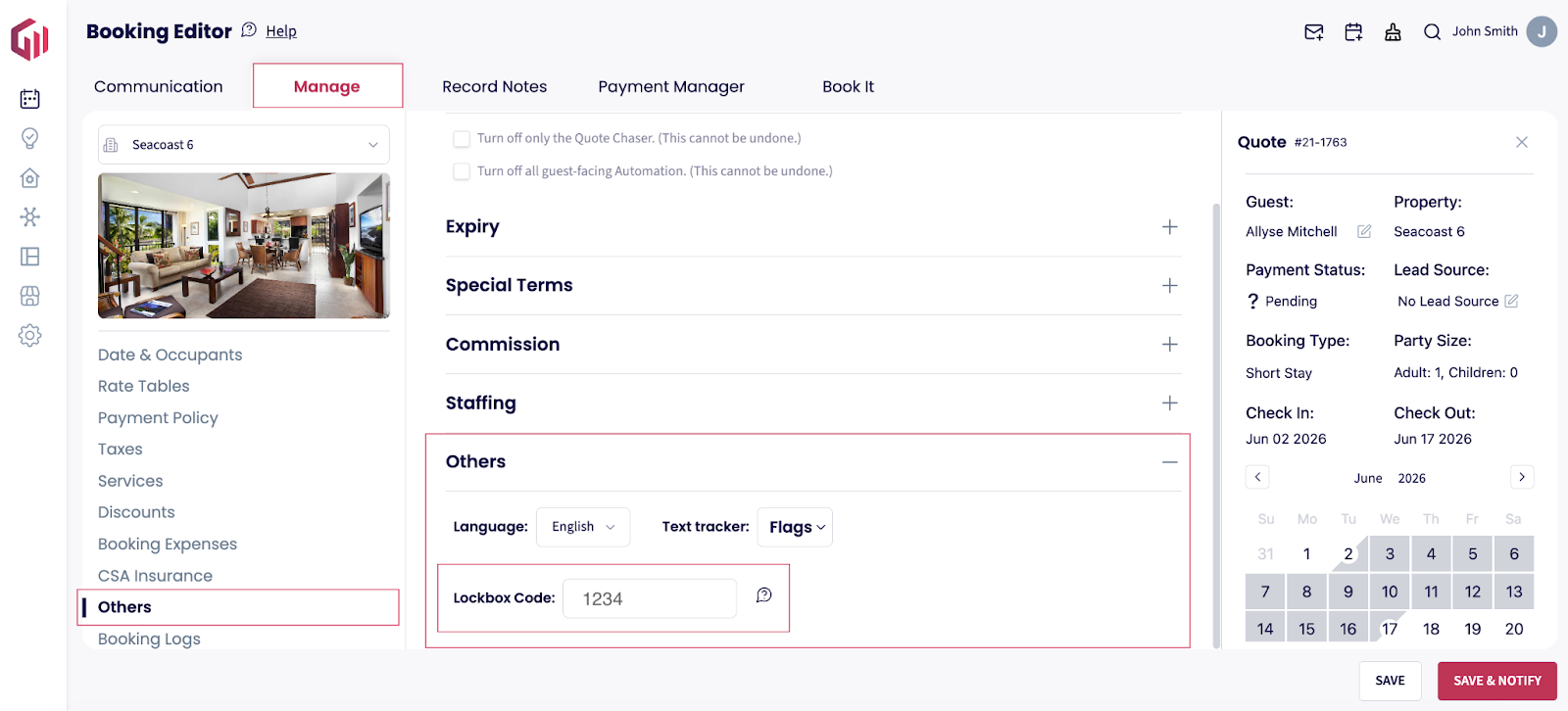
Manual code changes: If you manually edit an access code in GuestWisely, Lynx will not override it , therefore do NOT change the code in GuestWisely. For changes in Lynx, a validation prompt may appear to confirm external pushes.
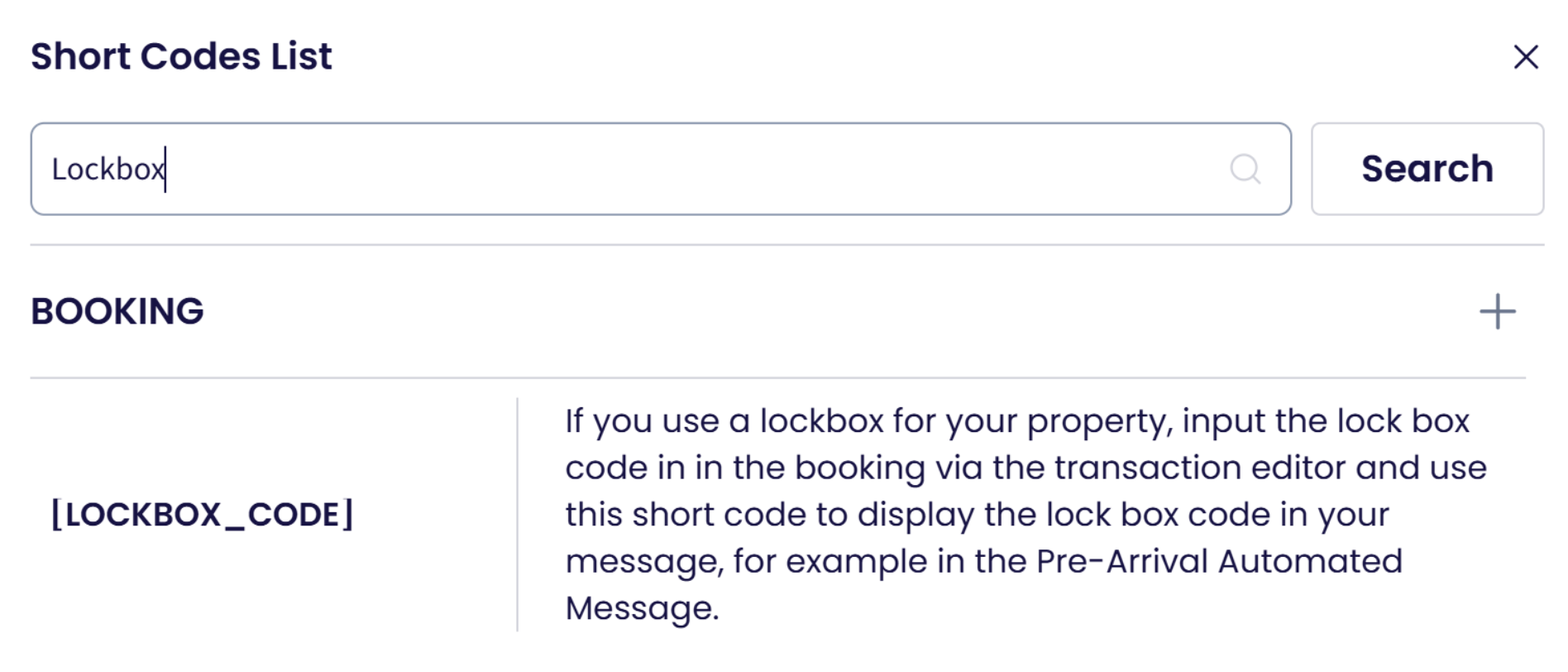
You can provide the code to your guests by using the [LOCKBOX_CODE] short code in your guest communications:
6. Owner Bookings and Permanent Access Codes
Owner Reservations: Synced as standard reservations with generated codes.
Permanent Codes: Use Lynx's tool to create everlasting codes for owners (not tied to bookings). These are not auto-generated for blocked dates.
7. Geographic Support and Hardware
Lynx is a cloud-based solution with no country restrictions. Compatible lock boxes are available globally. Purchase directly from manufacturers or contact Lynx for pricing and recommendations.
Was this article helpful?
That’s Great!
Thank you for your feedback
Sorry! We couldn't be helpful
Thank you for your feedback
Feedback sent
We appreciate your effort and will try to fix the article