Introduction
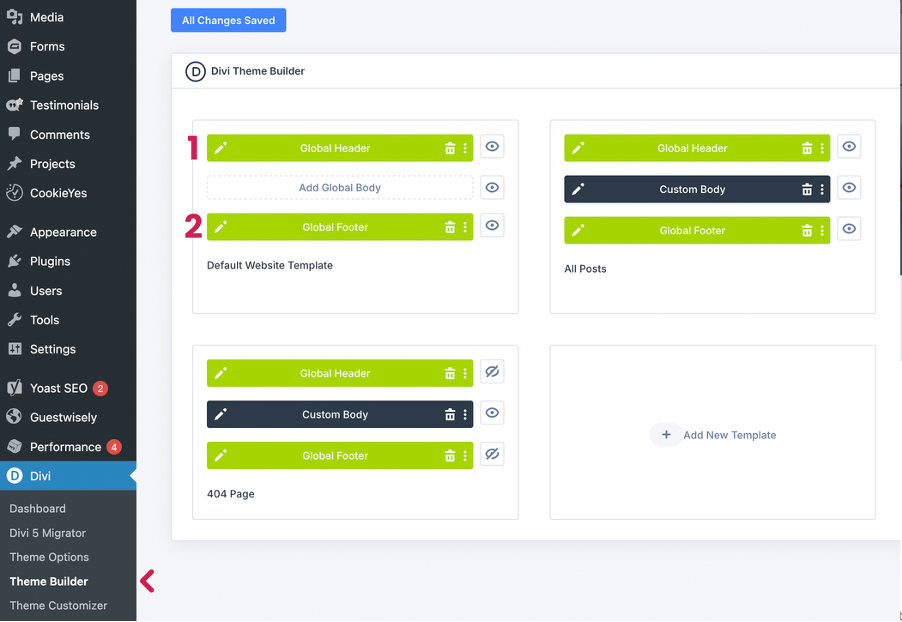
Visit Divi Menu > Theme Builder. This is where custom header, footers and page body templates, used for specific post types eg. blog posts have been created for the theme.
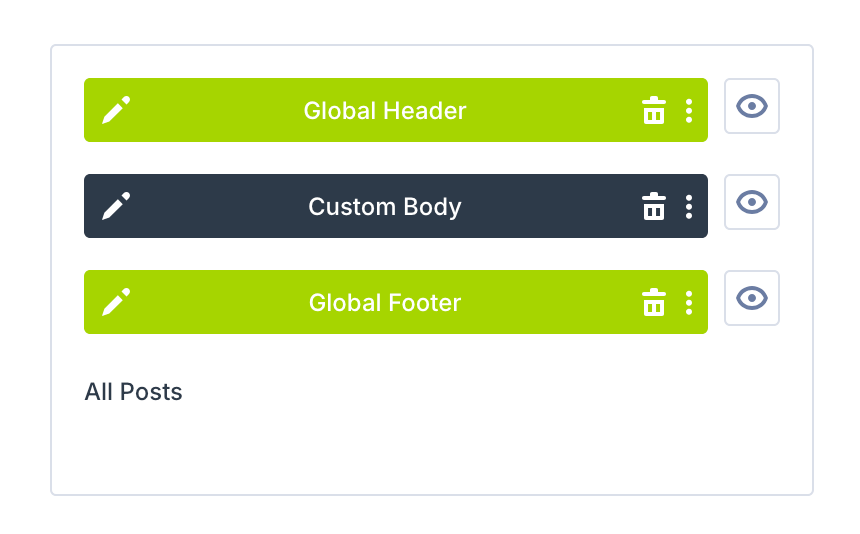
The first container stores the templates that are used as default on ALL pages – we call this the global templates acting as default. Click the left edit icon on either the green global header or footer bars to open the Divi Visual Builder.
Global Header
If you have already added your Site Logo in Divi settings and chosen your primary color and font in Global Variables, the global header will already be pre-formatted when you view it in here. But should you need to overwrite anything, you can use the same visual builder here.
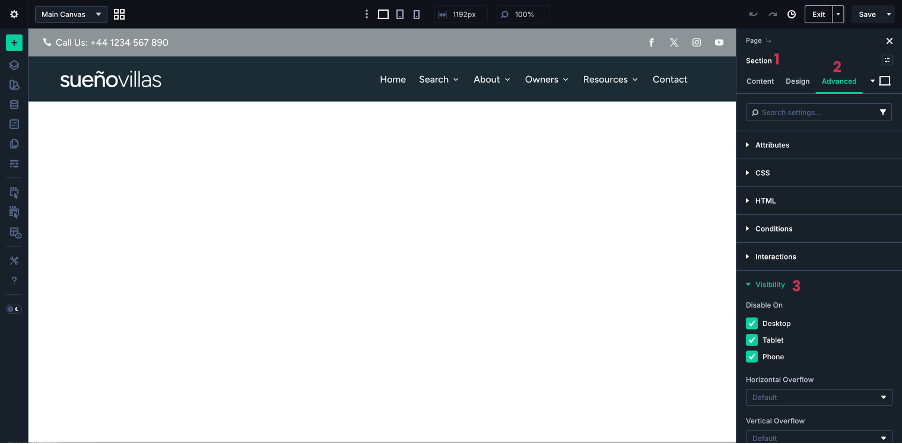
You will notice a faded topbar section – this is currently set to hidden but can be activated following the three numbered steps. If it’s difficult to select the parent section, use your section breadcrumbs(1) at the top of the right panel settings to select the section, the enable the visibility in Advanced settings.
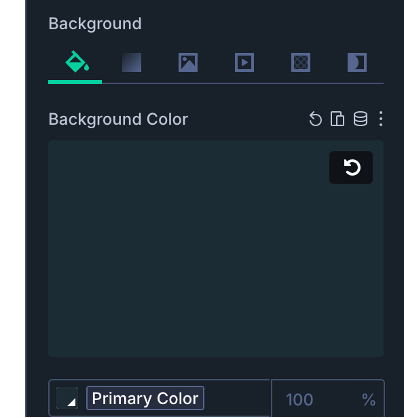
The header background color can also be changed selecting the section container and then head to Content > Background > Background Color (use the arrow icon that appears on hover to reset the global variable and then add your own hex value).
Global Footer
Enter the footer via the Edit icon where you will make a few small edits to your company information.
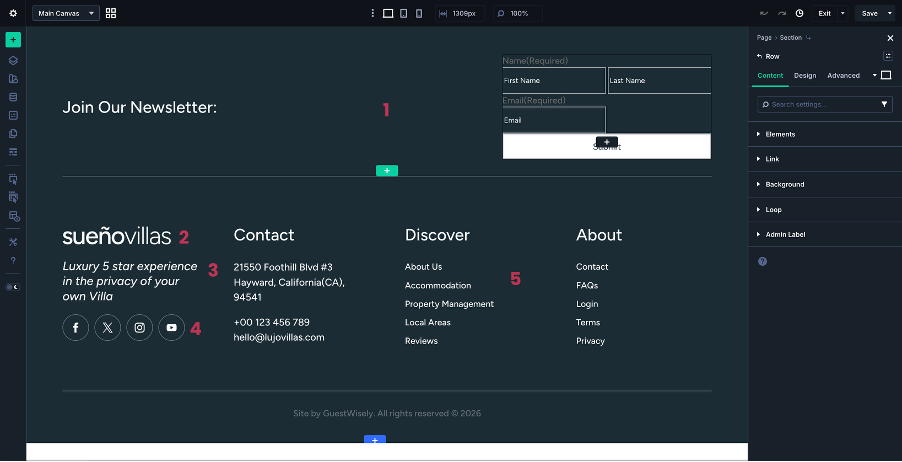
The newsletter optin (gravity form) shortcode does not render well in the builder but rest assured this works perfectly on the front-end. You may wish to delete the whole row (green) if not required.
Logo is already in position from Site Logo settings in Divi.
Update the text modules with your personal info.
Update/remove social links or add new channels.
Menus are pre-configured from Appearance > Menus.
Page Body Templates
The above header and footers will apply to all pages on the site but you will notice in the Theme Builder that there are other templates with a Custom Body. These are templates that are used for more than one page type or post eg. your blog post layout.
For a more detailed tutorial on the Theme Builder visit this page.
Was this article helpful?
That’s Great!
Thank you for your feedback
Sorry! We couldn't be helpful
Thank you for your feedback
Feedback sent
We appreciate your effort and will try to fix the article