There are 2 locations for your newsletter opt-in form – which the form itself is configured and stored as entries in Gravity Forms.
The first is included as part of the footer template so if unwanted, can be removed by visiting the Theme Builder in Divi settings. Be sure to remove the full green row and not just the form short code.
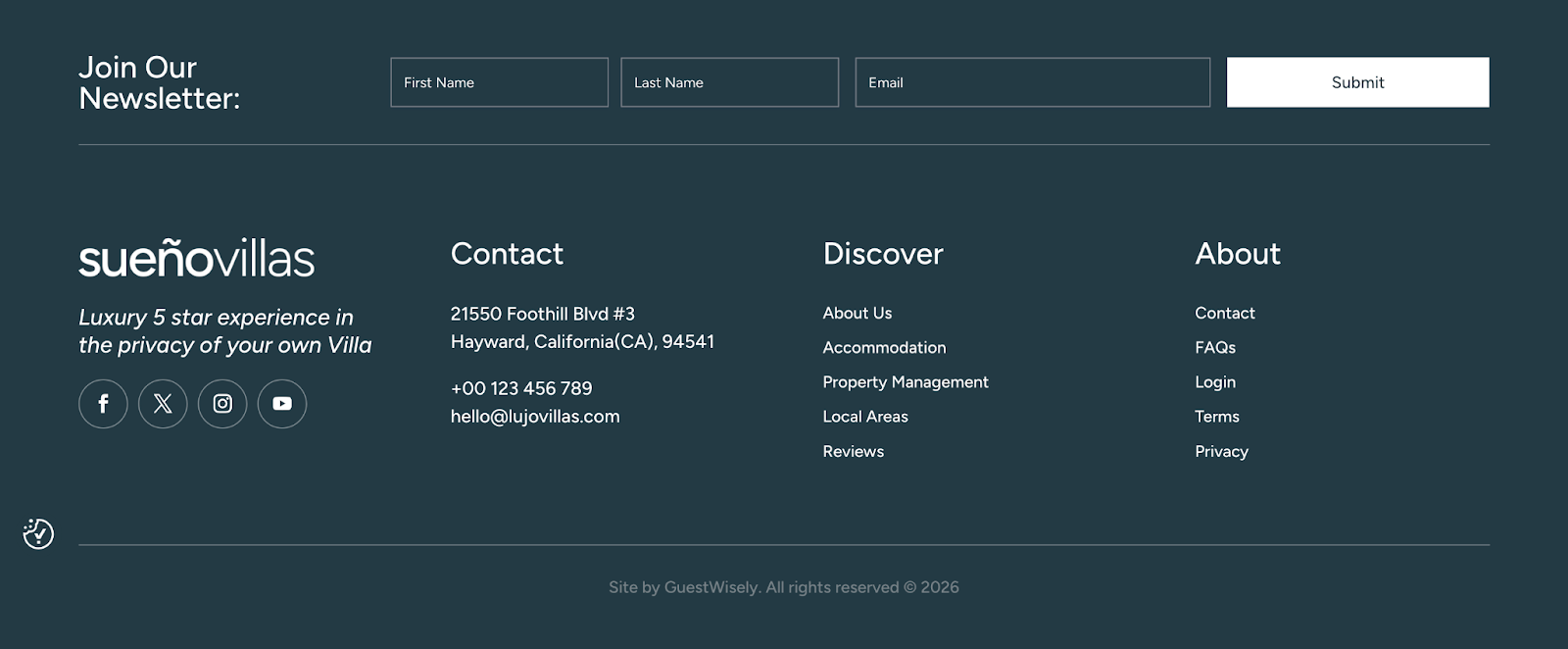
The second is included in an off-screen canvas which appears automatically after a few seconds on the homepage. This can be accessed by visiting the page and activating the Visual Builder.

When inside the builder, see the top-left dropdown labelled Main Canvas and select Newsletter Popup.
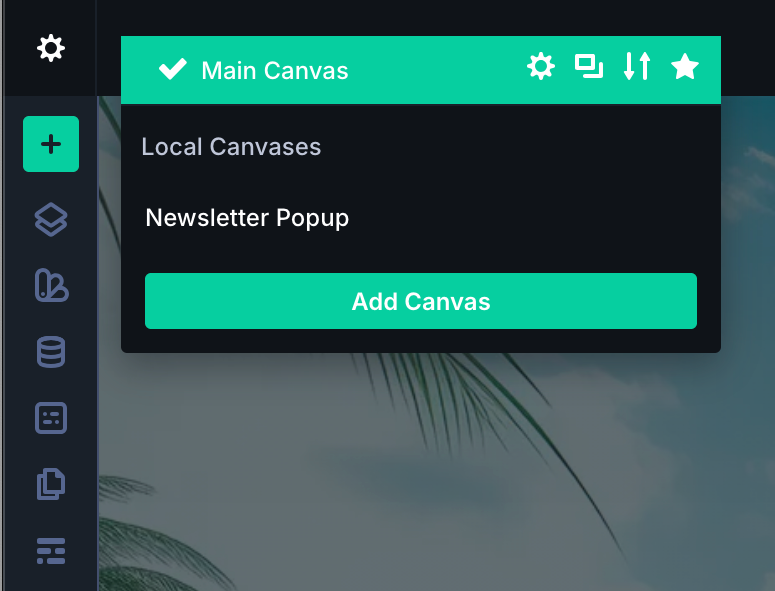
This will open the off-page canvas and you can make edits to the popup container if required. Note: any form edits must be updated via Gravity Form settings.
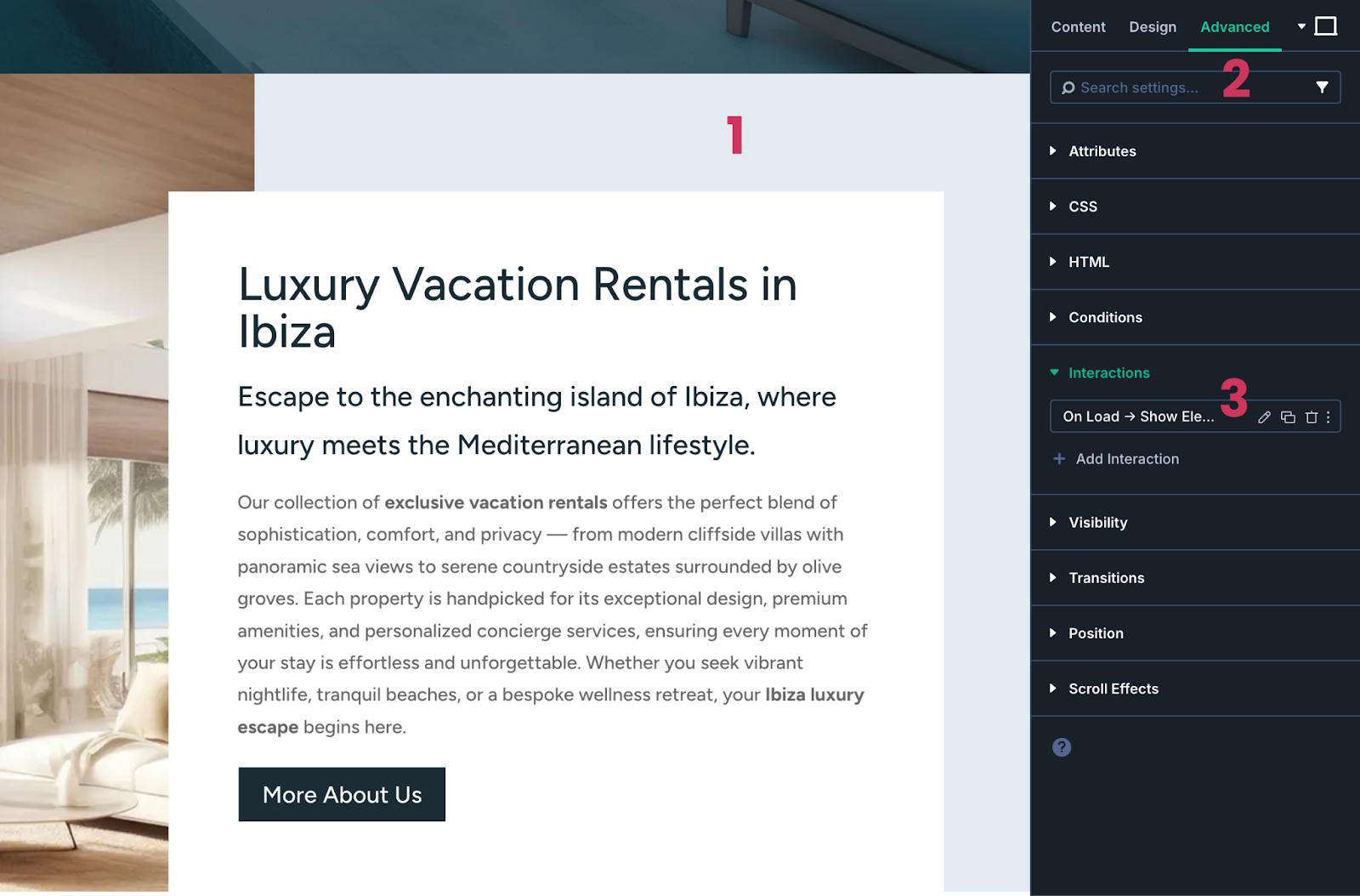
You will notice the screen is appearing faded and this is because the modal is hidden by default and requires an interaction setting to make it appear on the front-end.
The interaction is already setup on the homepage for you. If you scroll down and select the second section below, then visit Advanced tab > Interactions you will see where this is configured to load on screen. You can remove this interaction if the popup newsletter is not required.
Was this article helpful?
That’s Great!
Thank you for your feedback
Sorry! We couldn't be helpful
Thank you for your feedback
Feedback sent
We appreciate your effort and will try to fix the article