Introduction
There are 3 locations for guest reviews. Two of these are controlled via the GuestWisely Reviews Module and updated automatically on the website when they have been approved in the GuestWisely application. The other is controlled separately via a testimonial slider plugin.
Testimonial Slider
Navigate to Testimonials Section > Click “Add new”.
The Testimonial Slider is a global section present towards the footer of many pages of the website, aimed at displaying a few of your best reviews which will help to encourage more reservations.

Type in a short extract from a review for the title (within quotation marks for effect) and then the full review in the text editor below it. The full review should be kept to a minimum of a few lines also, as they display in a small area that are intended to be read quickly as the slider rotates.
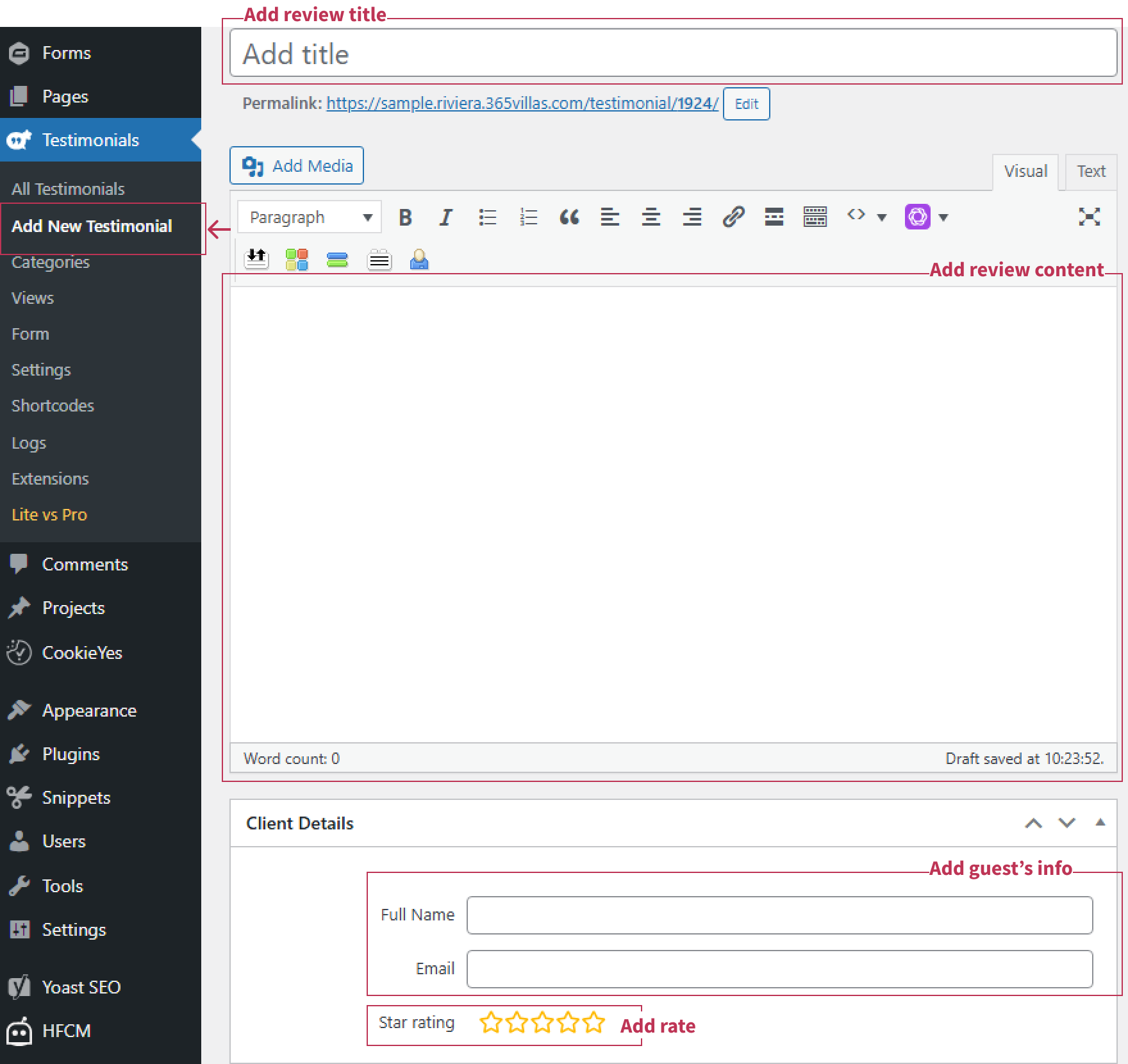
When that has been added, all that is left to do is scroll down the CMS and find Full Name and Star Rating, then you can publish the review like you do a news post.
Manage Reviews with Quick Edit
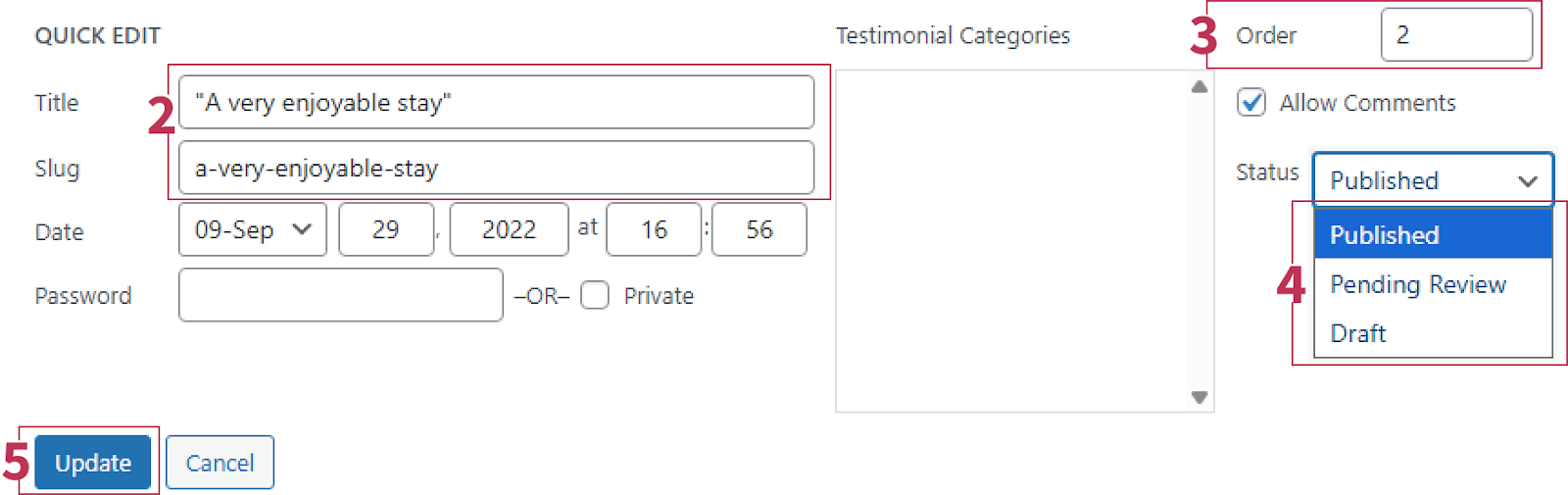
Hover over a review title and click Quick Edit.

Update the Title and Permalink if needed.
(Optional) Use the Order field (if available) to set the rotation sequence on the slider.
To show/hide without deleting, set Status:
Published = visible
Draft/Pending = hidden
Click “Update”
GuestWisely Reviews Module
This will appear on individual property pages where visitors can submit reviews and they will arrive in the GuestWisely application for approval. From here you will also be able to select if that review appears on your main Review Page, where they will display in a grid that is paginated.
Was this article helpful?
That’s Great!
Thank you for your feedback
Sorry! We couldn't be helpful
Thank you for your feedback
Feedback sent
We appreciate your effort and will try to fix the article