Learn how Airbnb attribute locking affects synced listing content, which fields may be controlled by Airbnb, and what to expect when updates from GuestWisely do not apply.
What is Airbnb Attribute locking?
This feature blocks certain fields from being updated via the Airbnb API. It allows you to manage the information directly on the channel and prevents them from being overridden by partners (any partner, including GuestWisely, regardless of the listing's sync settings).
How does it work?
When you change one of the impacted fields directly on Airbnb, this attribute will be considered "locked" (there is no need to explicitly mark the field as "locked", Airbnb will do this automatically).
Any user with access to editing listings in Airbnb can lock and unlock fields (property owners, main hosts, and co-hosts)
What happens when one or more fields are locked?
Any attempts to update a locked field via API will be ignored by Airbnb and the field will not be updated, meaning that you might update the listing on GuestWisely, export the changes to Airbnb, but some of the changes might not be updated on the channel.
How to unlock fields so you can be managed by GuestWisely via API again?
Log in to the Airbnb account
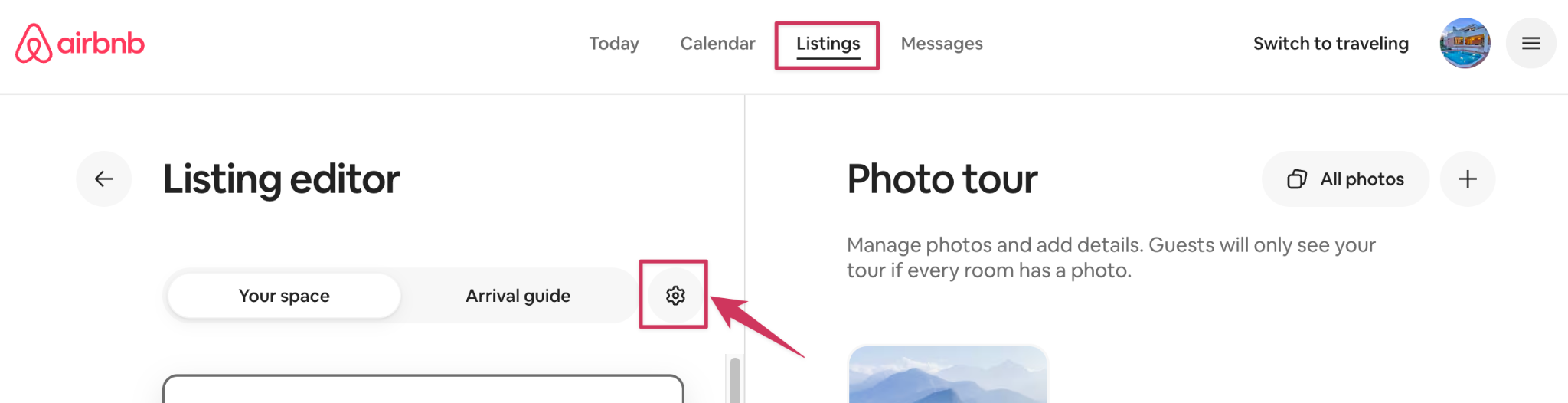
Click on "Listings"
Select the listing
Select "Edit preferences"
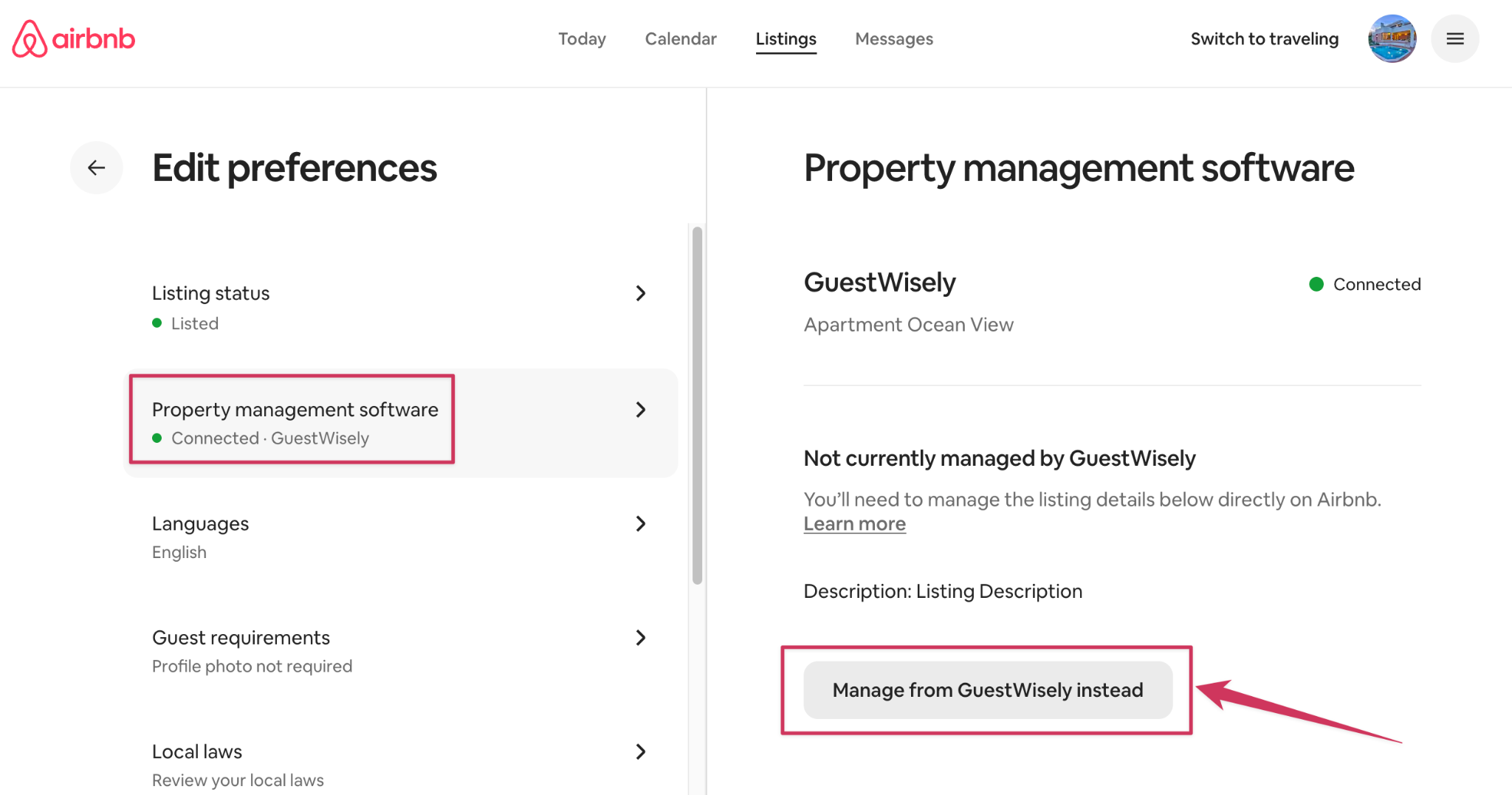
Select "Property management software"
Under "Not currently managed by GuestWisely", a list of locked attributes will be shown
Select "Manage from GuestWisely instead", a confirmation pop-up will appear
Select "yes, allow" > Done
Which fields are impacted?
Not all fields will be automatically locked by Airbnb when changes are made directly on the channel;
Below is the list of the eligible fields supported by GuestWisely sync that can be locked:
- Listing title & description fields (name, summary, the space, access, interaction with guests)
- Amenities
- Coordinates and Address (apartment, street, city, state, zip code, country code)
- Check-in & check-out instructions
- House rules
Was this article helpful?
That’s Great!
Thank you for your feedback
Sorry! We couldn't be helpful
Thank you for your feedback
Feedback sent
We appreciate your effort and will try to fix the article